Please note, your login details for the Jet phone applications will probably be different to your Jet Hub login.
If you need to log in to Jet Hub, please refer to this article: I can't log in to Jet Hub
The login details for your Jet Phone applications are stored on the Phone Users page in Jet Hub.
You can email a copy of these details directly to the email address that is set up against the Phone User by clicking the Email Action icon.

If you need to update the email configured against your Phone User, click the pencil to make changes:

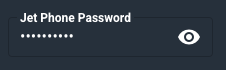
You can also update the password for this Jet Soft Phone login by selecting the Edit pencil above, and updating the Jet Phone password field that appears in the bottom right.
Click the eye to view the current password, update if required and select Save to update these details.
For more information on updating Phone User details please see this article: How to Modify Phone Users
If you need to order a new Phone User, please submit a ticket in the top right of this page, and select the ticket reason of Order New Service.